

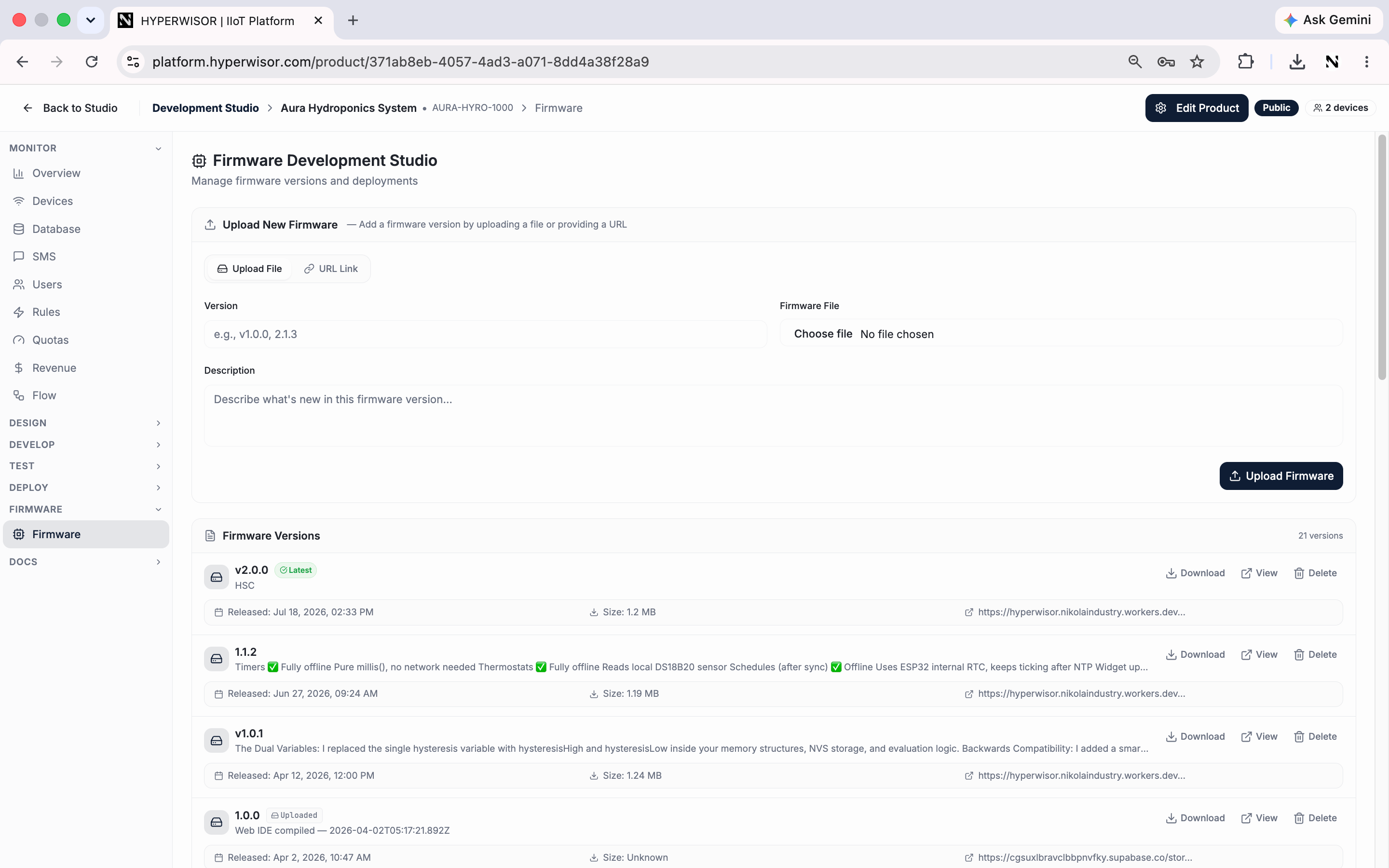
The Firmware Development Studio — upload versions and push OTA updates to devices in the field.
More boards are on the way. Devices connect over standard IoT protocols —
WebSocket, MQTT, or HTTPS — so any board that can speak one of them can
already connect; you implement the protocol directly instead of using a drop-in
SDK. Planning a different board or mass production? Reach out at
support@nikolaindustry.com — we prioritize
board support around real production plans.
Arduino vs ESP-IDF
Arduino
For the Arduino IDE. Fastest path to a working device —
device.begin() /
device.loop() and you’re connected. Rich helpers for widgets, dialogs,
database, and onboarding.ESP-IDF
For Espressif’s native framework. A component you add to
idf_component.yml, with Kconfig feature toggles and a board port layer for
production builds.At a glance
What both libraries give you
- Wi-Fi provisioning — connect with stored credentials, or fall back to an access-point setup mode on first boot
- Realtime communication — a managed connection that auto-reconnects
- Dashboard widgets — push live values to widgets by their widget ID
- Cloud commands — register handlers for commands sent from a dashboard
- OTA updates — push new firmware from the dashboard
- Time sync — NTP after the network comes up
Pick Arduino
Install and flash your first sketch.
Pick ESP-IDF
Add the component to your project.