

1. Get the onboarding QR
Every product has a QR code that links a physical device to a user. In the Studio, open the QR Code tab, click Download QR Code, and affix it to the device (or its packaging). See Get the QR onto the Hardware.2. Onboard a device
In the app, a user scans that QR to add the device:1
Scan
The app reads the QR and resolves your product.
2
Add & name
The device registers to the user’s account and appears in their device list.
3
Set up Wi-Fi
From Quick Actions → Setup Device, send Wi-Fi credentials in AP mode. Full
flow: Onboard with the Official App.
3. Publish to the marketplace (optional)
To sell or share your product, publish it as a template from the Marketplace Template tab — pick a listing type and license, set pricing, and publish. Buyers clone it into their account with one click. See Marketplace. To sell the physical device instead, use Sell to Consumers — set price, stock and shipping, and it appears in the consumer store.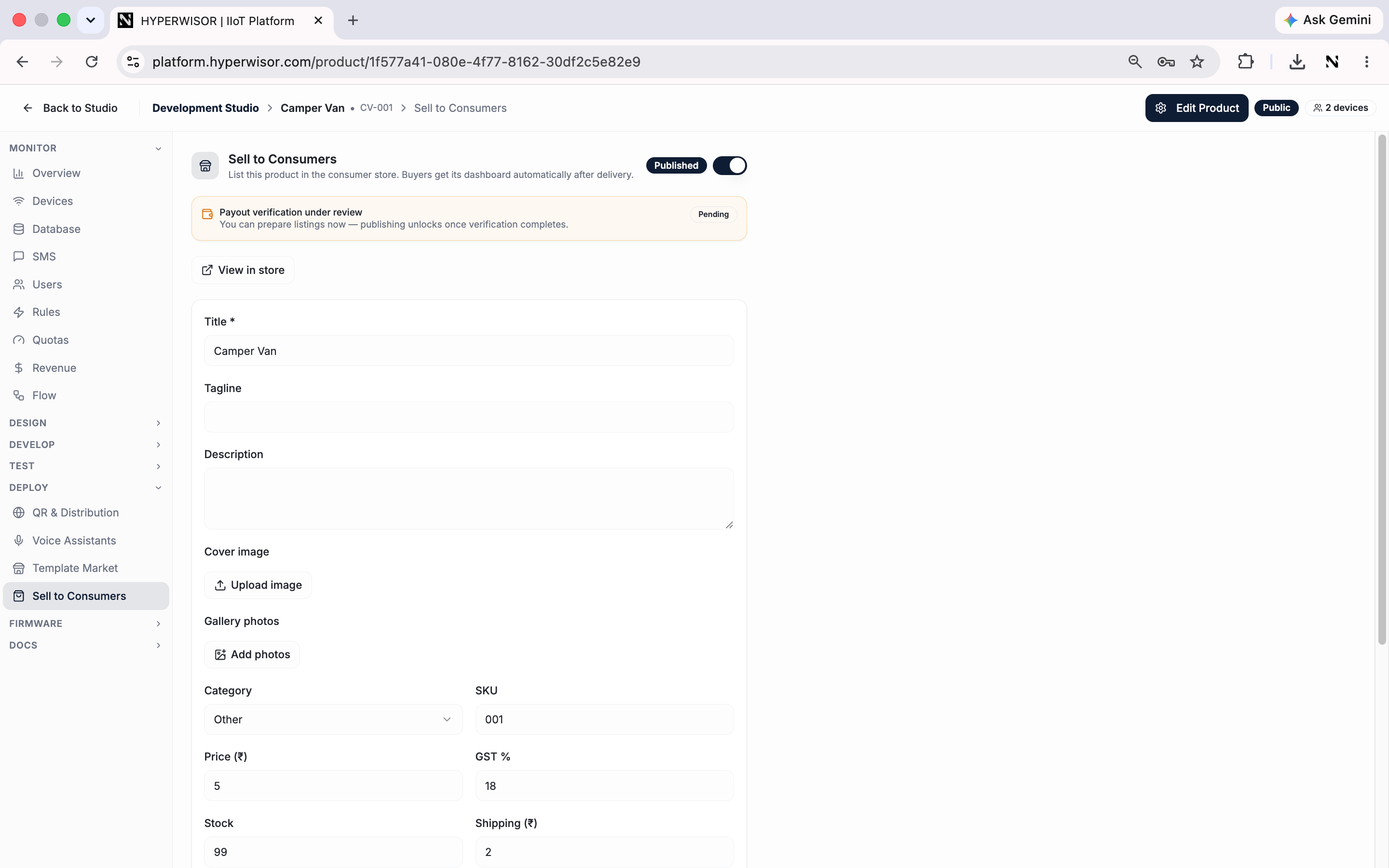
Sell to Consumers — list the physical product for buyers with price, stock and shipping.
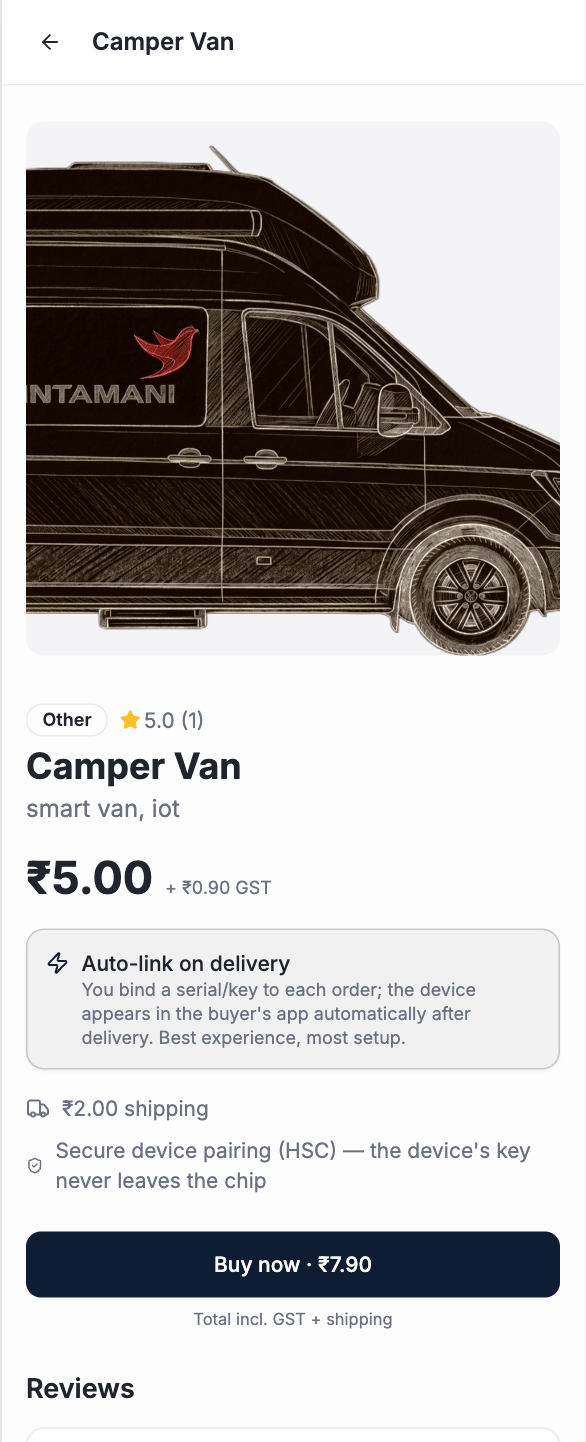
How a buyer sees the product in the consumer store.
You’ve built a product, end to end
Created it
Product + commands.
Designed & wired it
Dashboard + the core loop.
Shipped it
Data, automation, and onboarding.