

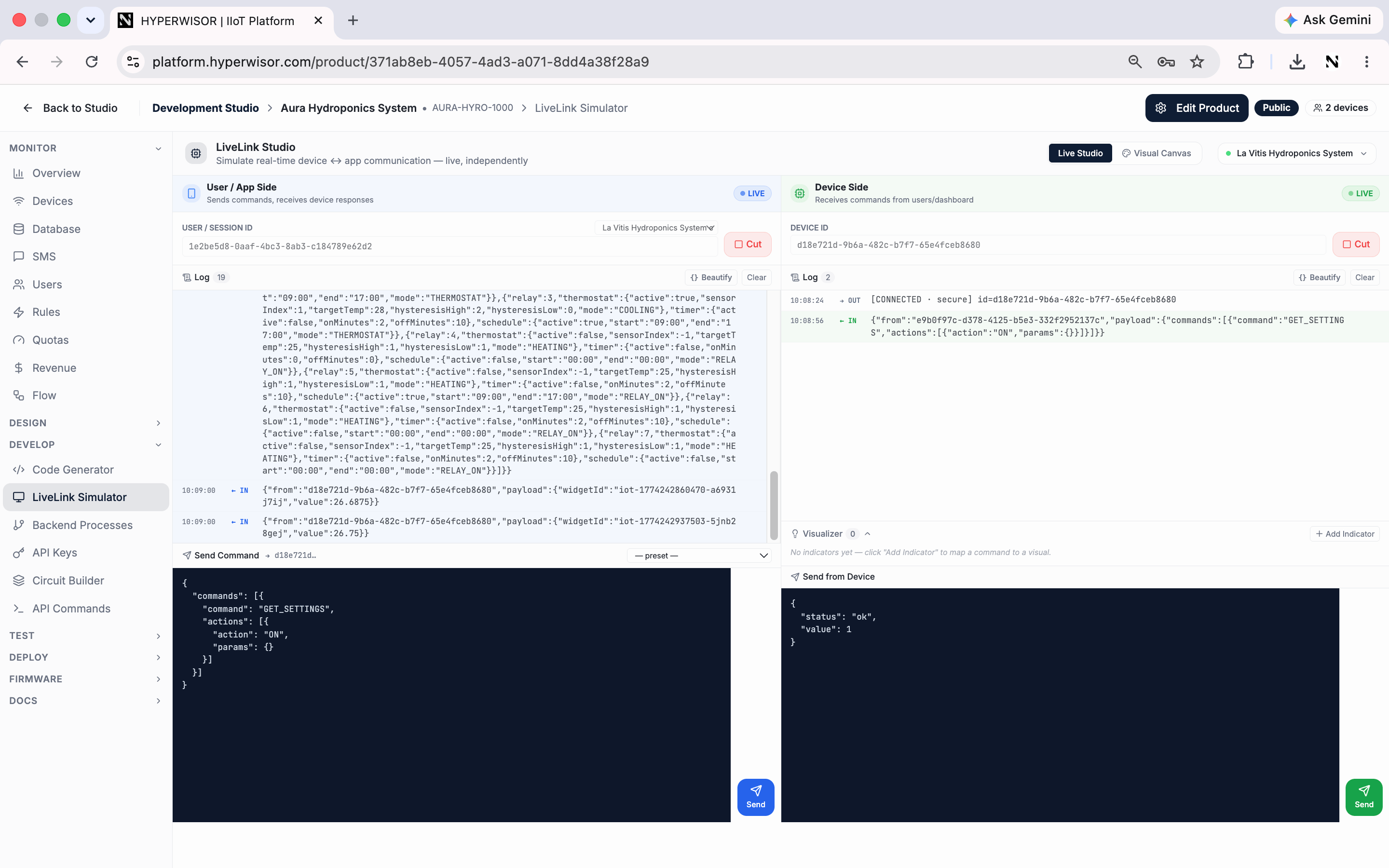
LiveLink Simulator — the user/app side and device side connected over the secure relay, exchanging live traffic.
Two sides, one channel
The studio splits into two connected panes:
Each side connects with its own ID (a user/session ID on one side, a device ID
on the other) so you can watch traffic flow in both directions.
What you can do
- Connect both sides and see live traffic in each log
- Send a command from the app side as JSON — for example:
- Send from device — reply with a payload, e.g.
{ "status": "ok", "value": 1 } - Use presets to load common command shapes
- Add indicators in the Visualizer to map a command to a visual
- Beautify the JSON logs for readability
When to use it
- Validate your command/response format before touching hardware
- Debug what the device should send to drive a widget
- Demo the product’s behavior with no device connected
Next: Backend Processes
Run custom server-side logic.